Overview
You already learned that Payment Methods can be re-labelled for your business needs here (for use in Zaui Core (Back Office)). However, it's important to note that the functionality of any re-named payment method will remain the same as its origin.
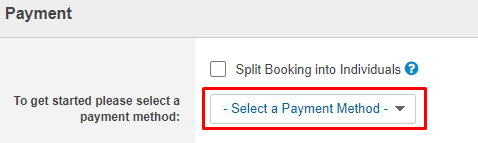
Here are how those original Payment Methods are used during a booking process in Zaui Core (Back Office):
|
Payment Type
|
Definition
|
Steps
|
| Cash |
|
- Enter Amount to Process
- Click Process Booking
|
| Cheque |
|
- Enter Amount to Process
- Click Process Booking
|
| Credit Card |
|
- Enter the Name as written on the credit card
- Enter the Credit Card Number
- Enter the CSV Number
- Select the Expiry Date
- Enter Amount to Process
- Click Process Booking
|
| Credit Card Swiper |
|
- Swipe the Credit Card
- Enter the Credit Card Number
- Enter the CSV Number
- Select the Expiry Date
- Enter Amount to Process
- Click Process Booking
|
| Debit |
|
- Enter Amount to Process
- Click Process Booking
|
| Discount |
Check out this article for more information on Discounts |
- Link the Payment to a Package, Activity, Product or Gift Certificate
- Select the Discount to apply
- Select the Reason for the discount
- Enter the Amount to Discount if different from the auto-populated amount
- Click Process Booking
|
| Gift Certificate |
Check out this article for more information on Gift Cards
|
- Enter GC ID
- Click Process Booking
|
| Voucher |
Check out this article for more information on using Vouchers |
- Link the voucher to an Activity
- Select the Company to link the voucher to for invoicing
- Enter the Voucher Number
- Enter the Amount to process
- Click Process Booking
|
| Package Voucher |
Used when a wholesale agent purchases a package |
- Link the voucher to a Package
- Select the Company to link the voucher to for invoicing
- Enter the Voucher Number
- Enter the Amount to process
- Click Process Booking
|
| Override - Pay Later |
Reservations settled to Override - Pay Later will show as outstanding until payment has been taken
|
- Click Process Booking
|
| Traveller Cheque |
|
- Enter Amount to Process
- Click Process Booking
|
| Deposit Only as Commission |
Pay commission before the travel date instead of after or hold the booking by collecting commission only. |
- Enter the Company Name
- Enter the Agent
- Enter the Commission Deposit Amount
- Click Process Booking
|
| Gift Card |
This is external from Zaui (as opposed to Gift Cards) |
- Enter Amount to Process
- Click Process Booking
|
| Online Promo Code Applied |
Check out this article for more information on Online Promo Codes |
- Enter the Promo Code
- Click Validate Promo Code
- Amount to Discount will display if promo code applies
- Click Process Booking
|
| Credit on Account |
Applies if the Wholesale company has a credit on their Zaui profile. Check out this article for more information. |
- Select the Company with credit on account
- Enter the Amount to Process
- Click Process Booking
|