Overview
There are numerous strategies to increase sales and revenue. Though traditional discount sales are effective, Buy One Get One (BOGO) has become one of the more popular choices. Especially in the world of Tour and Travel, where most customers will purchase experiences and tours with other people, this is a great method to increase sales.
 |
If you have a new creative marketing campaign in mind, we recommend checking with us first (support@zaui.com) to make sure your promotion is compatible with Zaui's promo code functionality. |
Check out this article to find out more about the general Online Promotional Codes setup in Zaui.
There are two ways of building a Buy One, Get One promotion in Zaui. If you have a specific tour or activity that you want your guests to book in order to qualify for a discount on another specific tour or activity, then the article you are looking for is this one: How to Set Up a Buy One, Get One Promo Using Specific Tours & Activities
How to set up a BOGO Promo Code in Zaui
- From the navigation bar, select Settings > Pricing > Promo Codes.
- Click on + Create Online Promotional Code from the shortcuts panel.
- Check out this article for information on filling in the Online Promotional Code Information and Promo Tags sections.
- Promotional Code Component Configuration is where you will customize the configuration for your promotional code. Here are some required configurations specific to the BOGO set-up:
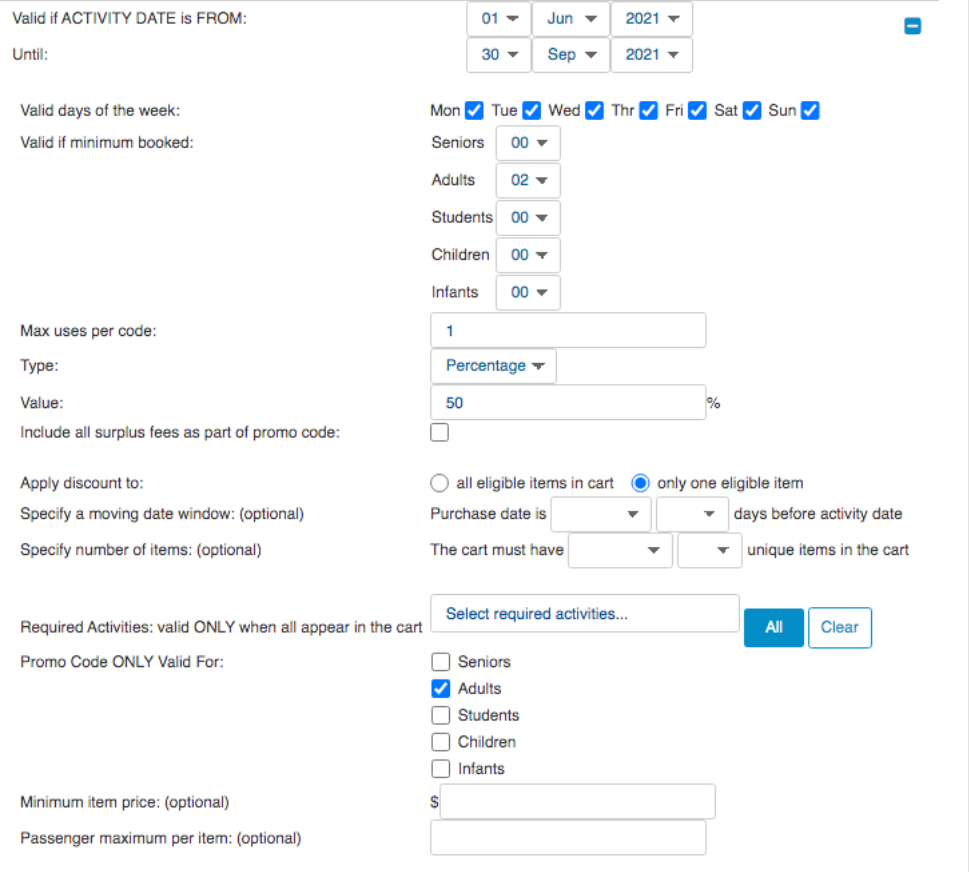
- Valid if minimum booked is an important field as you want to ensure you enter a minimum of 2 passengers as that is the common rule with BOGO.
- Type and Value allow you to specify whether this will be a flat dollar discount or a percentage discount. You could, for example, enter 50 as a percentage type, meaning as long as what is in the shopping cart meets the promo code rules, the customer will receive 50% off their total purchase. Another example would be to use a flat amount type to discount a specific amount from a passenger-type on a particular activity.
- Apply discount to is where you will want to select only one eligible item. Note that the discount will be provided on the least expensive item in the cart.
- Required Activities: valid ONLY when all appear in the cart means that the promo code is only valid if the specific activities listed here are included in the cart.
- Promotional Code Components is where you will want to specify what activities/packages/products you would like the BOGO code to be applicable to.
- Example: The below rule creates a BOGO 50% off code which is eligible for any 2 Adult activities for the activity dates and components specified.
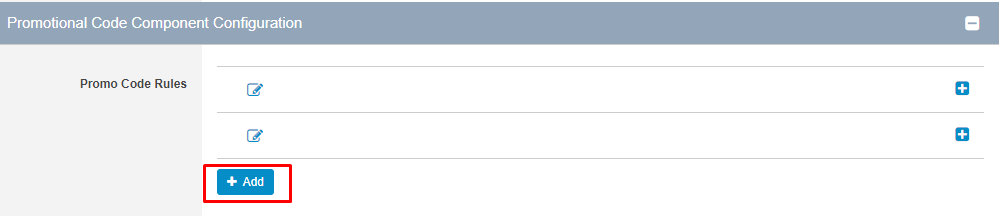
- Once you have created your first rule, you can add additional rules (for example your first rule was related to having 2 Adults in the basket in order to get a BOGO deal, you can now set up a separate rule for perhaps 1 Adult and 1 Student to be eligible too). Simply click on the + Add button to create your next rule.
|
If you are setting up multiple rules for one promotion, make sure the first Promo Code Rule you create has the biggest discount. This is very important because the logic behind the rules is that the system will check if there is a match based on the first rule first before moving on to the next rule within that promotion. |
How to run an effective BOGO Promotion
- Create a Target Audience - your campaign should have a clear target market in mind. Perhaps you're trying to tap into the local market by providing locals with a cheaper price to participate in your tour.
- Create a Sense of Urgency - by setting up a deadline for your BOGO promotion, you can incentivize customers to act sooner due to FOMO (fear of missing out).
- Advertise on Multiple Channels - print ads, website banners, rack flyers etc. are a great way to let people know about your promotions.
- Leverage Social Media - Social media is growing and becoming a key marketing platform. Depending on your target market, how you use social media should vary to match their usage patterns. For example, if you are targeting baby boomers, share your BOGO sales on Facebook as opposed to Instagram.